

Irritated of landing to other Web pages without entering the URL??
Well, this post will certainly help you if you are having increased amount of unwanted ads and pop ups in your Web Browser.
More often, you would have seen changes in your browser with a different homepage or browser redirect. All such malicious activities happens due to the hijacker in your Web Browser called Trotux.
Scroll down to see the best methods to remove Trotux
What is Trotux??
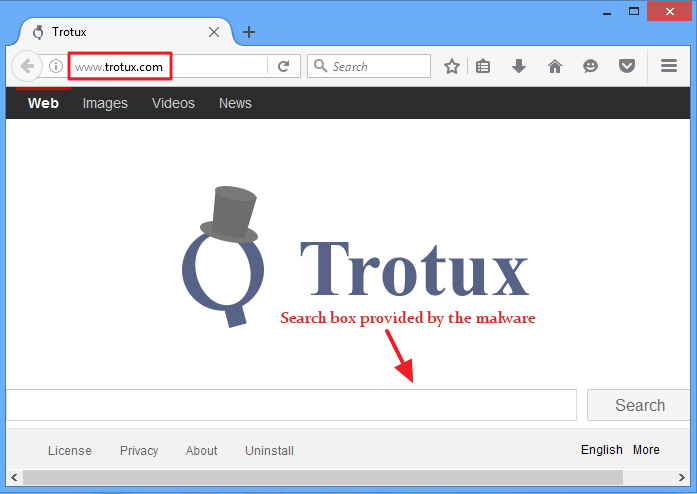

Trotux is basically a Browser redirect hijacker and a type of adware. It makes unwanted changes in the default home page and search engine activities of our Web Browser. It is usually bundled with freeware softwares and gets installed on our computer without our knowledge.
Why is Trotux created??
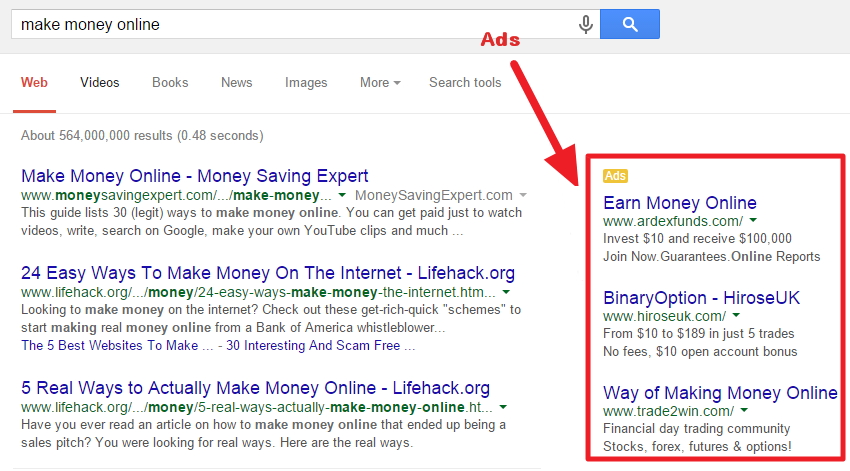

This would really surprise you if you come to know why Trotux.com hijacker is created. The business websites create such kind of Browser hijackers to get profits by boosting their website traffic and advertising revenues. It also helps them knowing the frequent search habits and browsing preferences of various users online. After getting infected, you may be frequently directed to different websites which you have not opened manually. Besides that, too many unwanted popup ads, banners, sponsored links will be shown while you are browsing the web.
How do you get infected by Trotux??
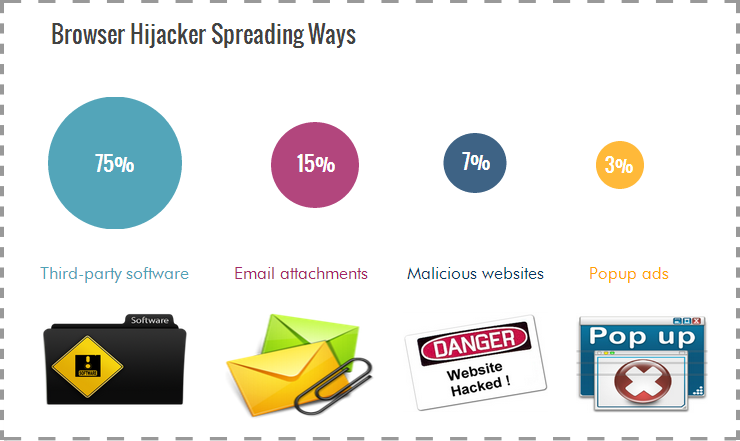

This Browser hijacker infects your PC mainly because of downloading the freeware or shareware softwares containing its installers. Trotux has been found bundled with legitimate looking softwares or application. Products like Outbrowse, Softpulse, Amonetize, Somoto etc which indicates that most users install this hijacker unknowingly on their Pc. You might also be unknowingly downloading this browser redirect hijacker by opening email attachments, clicking on pop up ads or by visiting malicious sites.
Problems faced by users due to Trotux
The Trotux browser hijacker can bring unwanted problems on your Pc. Below are the list of actions done by Trotux:-
- It can change your browser settings
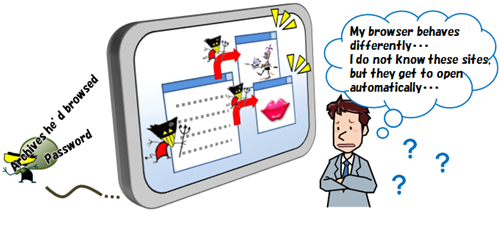
- It can alter your security settings
- It can redirect you to unwanted sites
- It spies our search queries and browsing history
- It installs unknown toolbars unknowingly
- It generates unwanted popup codes
- It stores your personal information like login details.

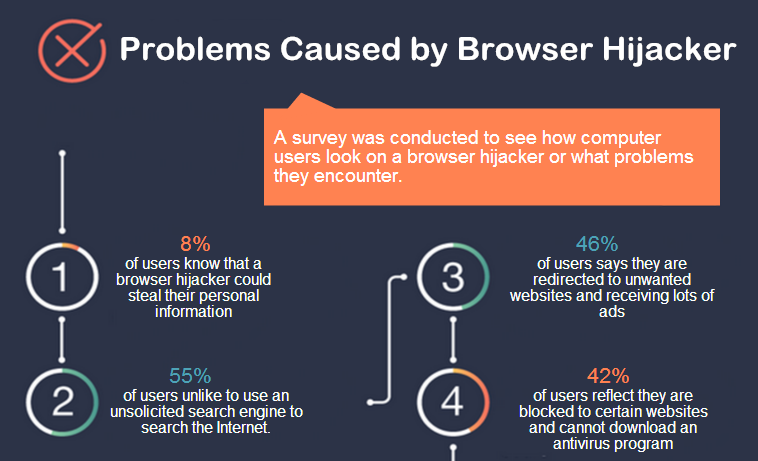

Apart from that Trotux can result into problems like being unable to access certain websites, search result redirection or unable to download the antivirus program.
Methods to remove Trotux
Method 1: Use SpyHunter to remove Trotux
What is a SpyHunter??

It is a program developed by Enigma Software Group specially designed to fix the corrupt anti malware files on your Pc. It provides protection to the today’s online computer threats and uses the latest antimalware technologies. It is helpful in cleaning up the viruses, malwares, rogue antivirus programs, and other security related tasks for your Pc.
For your convenience I have already set up the direct downloading link below.


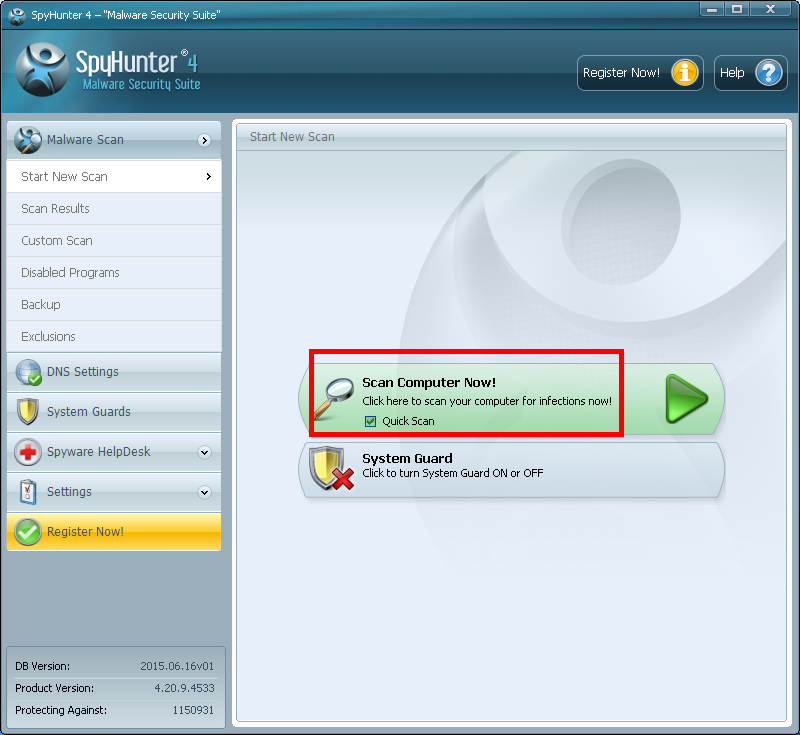
Step 1: After installing this program, click the scan computer now button from the Home screen as shown.

Step 2: Wait for the scanning process to be completed by SpyHunter.
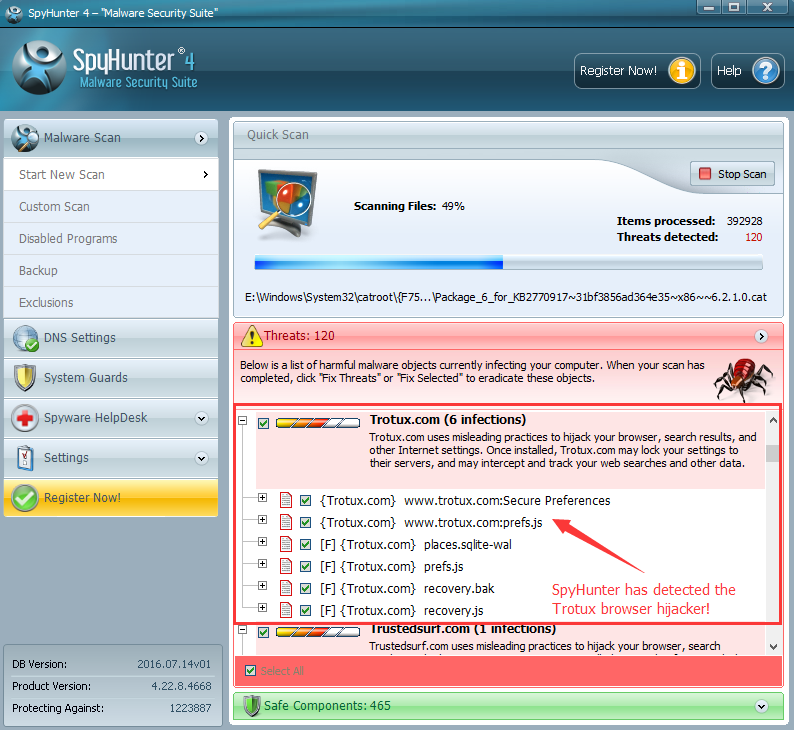

Step 3: After the scanning process ends, click on the fix threat button. By doing so it will delete the corrupt malware files from your Pc.
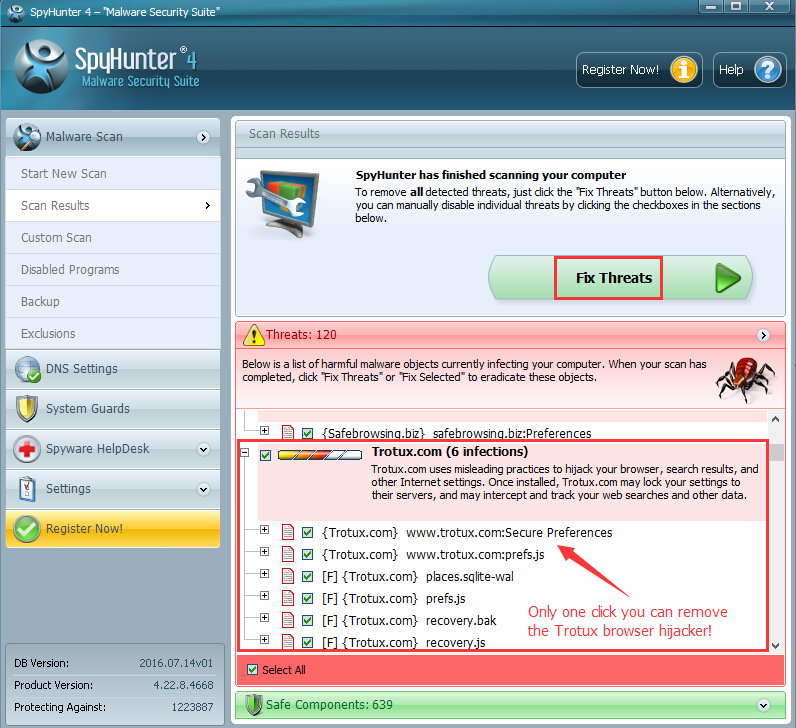

Step 4: Reboot your system to see the changes.
Method 2: By Removing Trotux Manually from your Pc
Kill the processes linked to Browser hijacker
Step 1: Open the task manager.
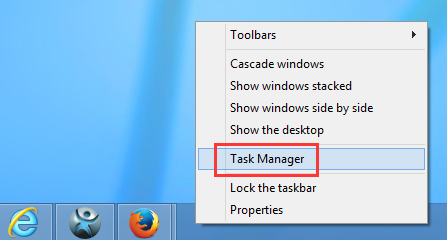

Step 2: Select the processes tab after opening the task manager.
Step 3: Find and end task the processes related to browser hijacker as shown.
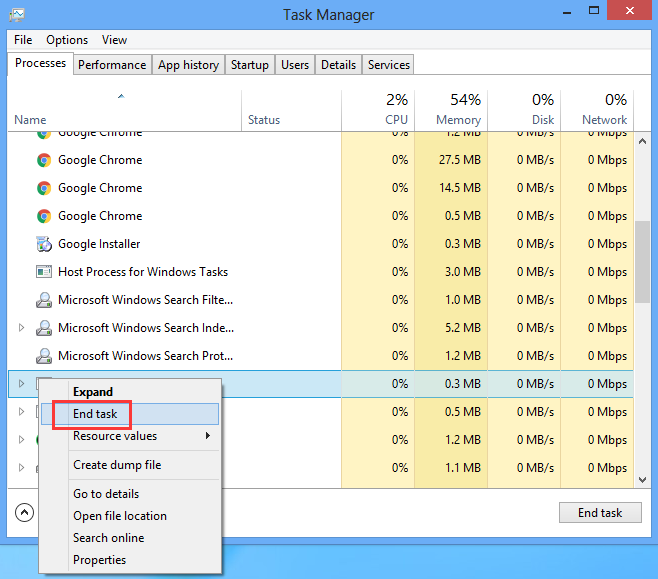

Remove the programs related to Trotux
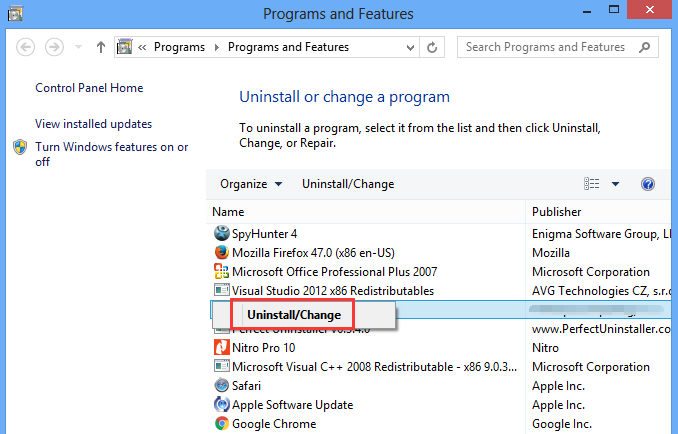
Step 1: Go to the control panel and click on uninstall a program.
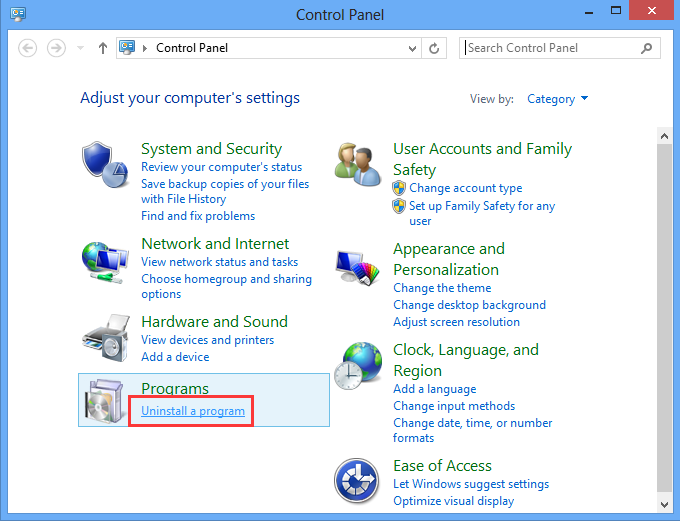

Step 2: Look for any programs related to Trotux.com and uninstall it.

Remove registry entries related to Trotux
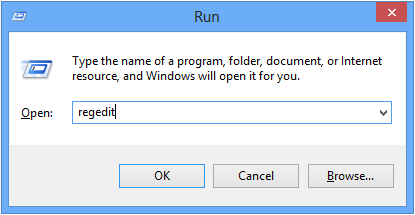
Step 1: Press the windows + R key to open the Run commander.
Step 2: Type regedit and click ok to open the registry editor.

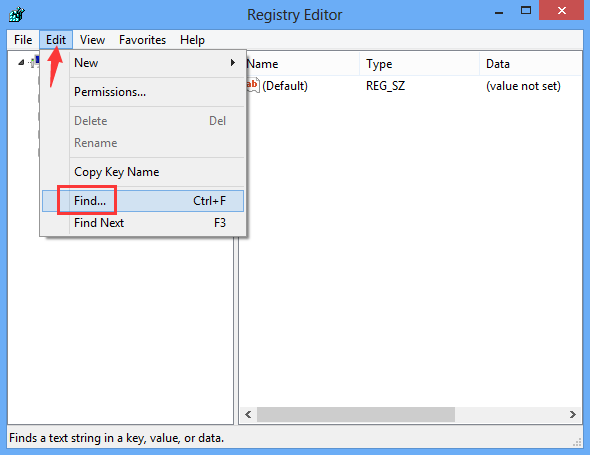
Step 3: Click edit menu and select Find option.

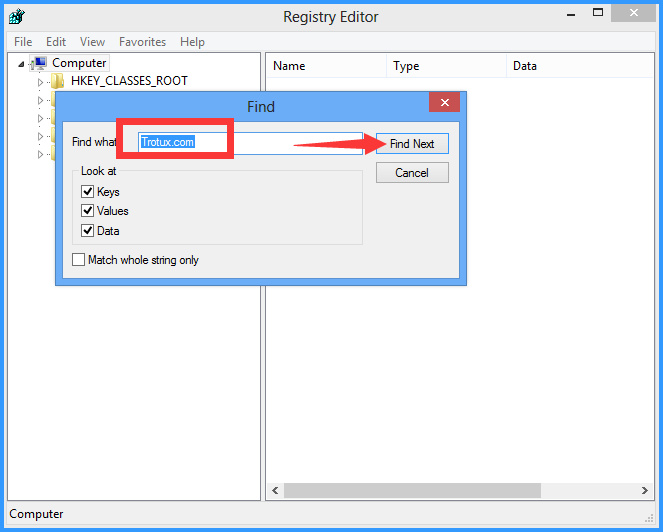
Step 4: Type Trotux.com and click the Find Next button.

Step 5: Delete the entries related to Browser hijacker Trotux.com
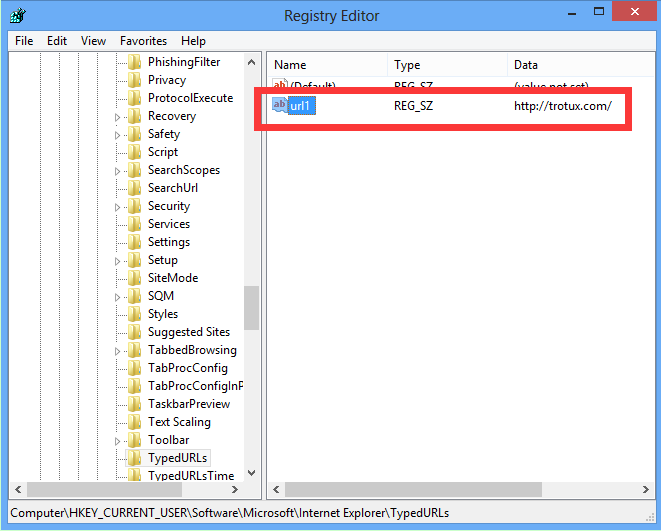

Restore your Default Home Page and Search engine of your Web Browser (For ex- Google Chrome)
Step 1: Go to the settings after launching Google chrome
Step 2: You will see the On startup section, Click on set pages link.
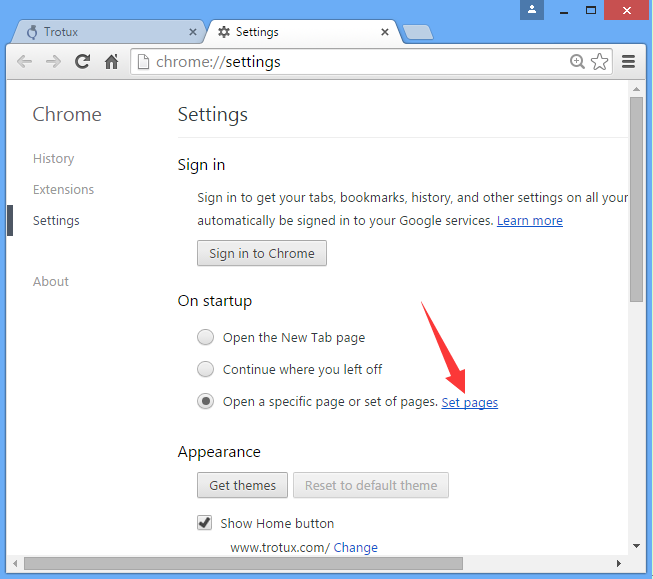

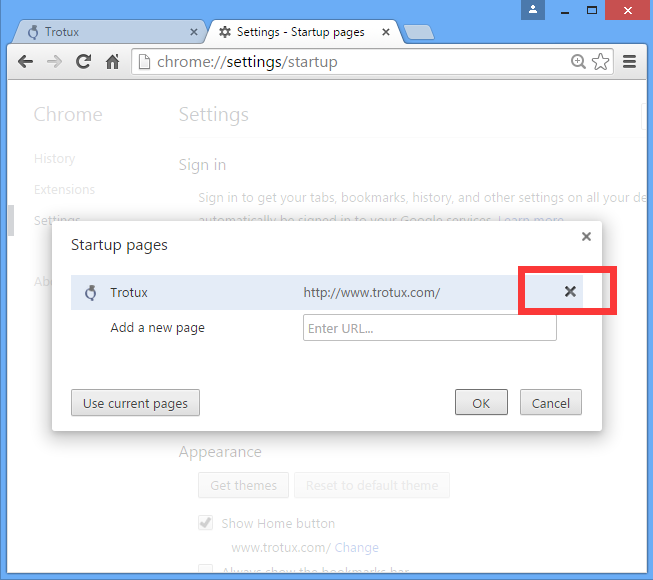
Step 3: Remove the malicious URL by clicking on the X button and then click ok.

Step 4: Now, in the appearance section click on the change link.
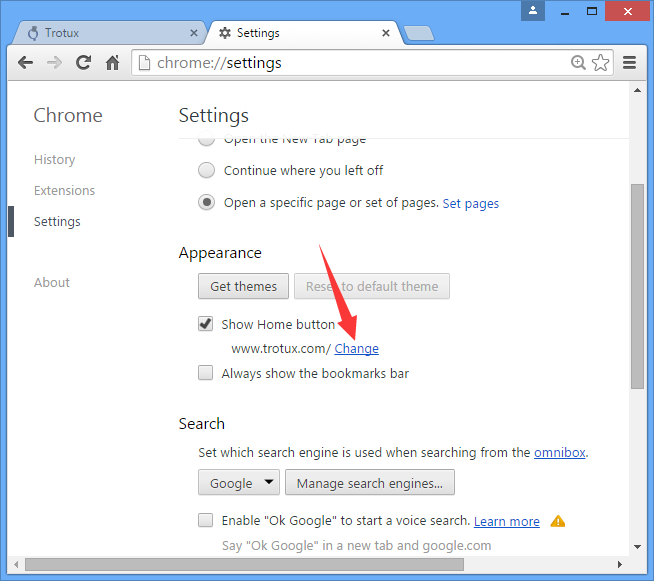

Step 5: Remove the Trotux home page link and click ok.
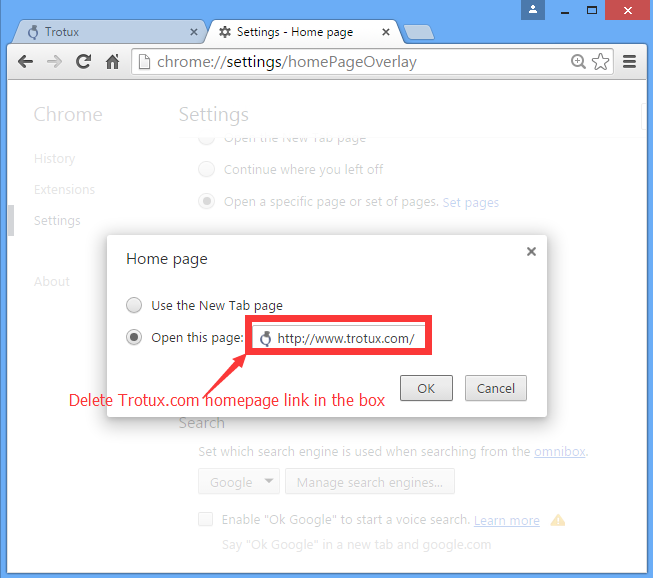

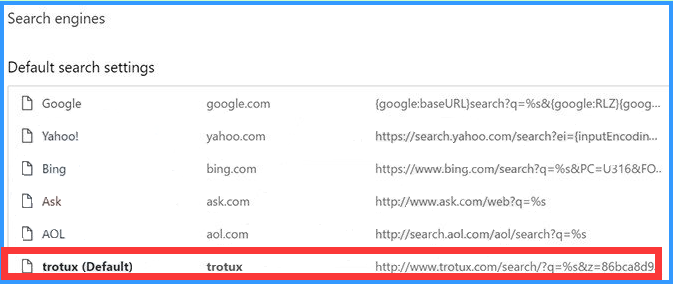
Step 6: Click the manage search engine button under the search section and remove the unwanted search engines.

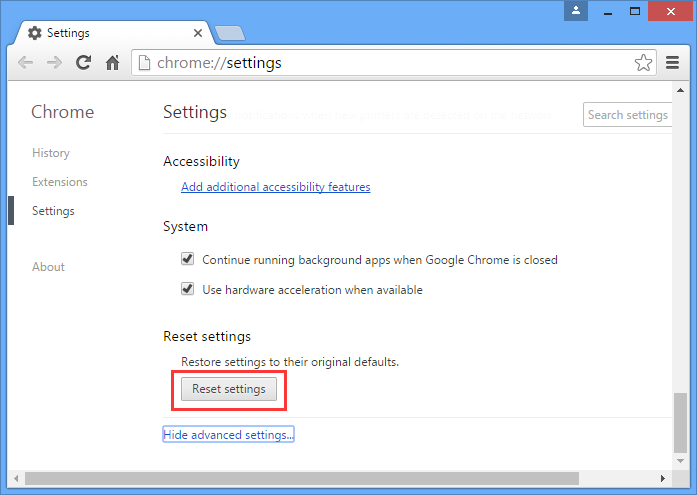
Reset Your Browser to remove Trotux (For ex- Google Chrome)
Step 1: Go to the settings of Google chrome.
Step 2: Scroll down to see the advanced settings.


Step 3: Click on Reset settings and finally reset the Browser settings.

Make changes in your Web Browser’s Shortcuts
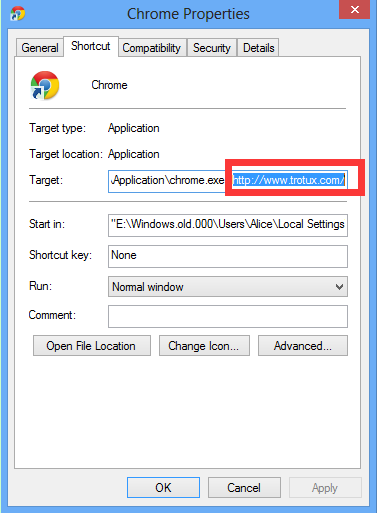
Step 1: Right click on Google chrome shortcut and then select properties.
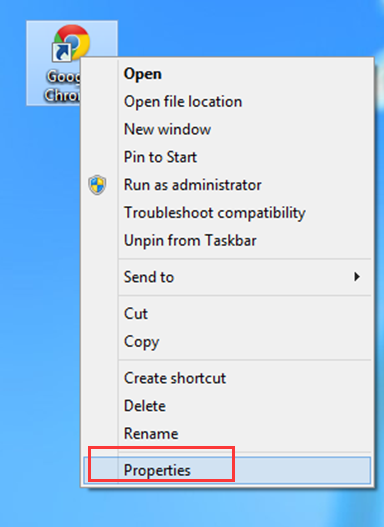

Step 2: Remove the link Trotux.com under the Target section. Apply the changes and then click ok.

That’s it!! You have finally completed the Total removal process of Trotux from your Pc.
Also Read: Quick fix for Windows 10 Antimalware service executable High CPU Usage
If you are still unable to sort out this problem then, kindly contact us at: info@officialtechsupport.com


Our customer care service is available 24/7 to sort out your technical queries.