

Want Instant Solution For Creating a Snapcode?? You are at the Right Place!!
As we all know Snapchat is the third most popular social networking app among the millenials . It has updated itself with furthermore salient features like having a Snapcode for your website.
I know you might be browsing plenty of websites but still haven’t created snapcodes.
We will illustrate you with easy going steps to create a Snapcode for your URL in Snapchat
Step 1: Open the settings options from snapchat.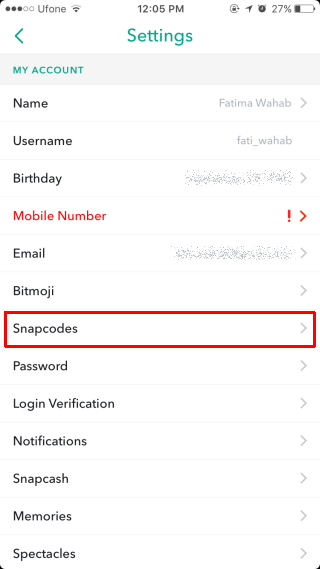

Step 2: Select the Snapcode from the settings interface.
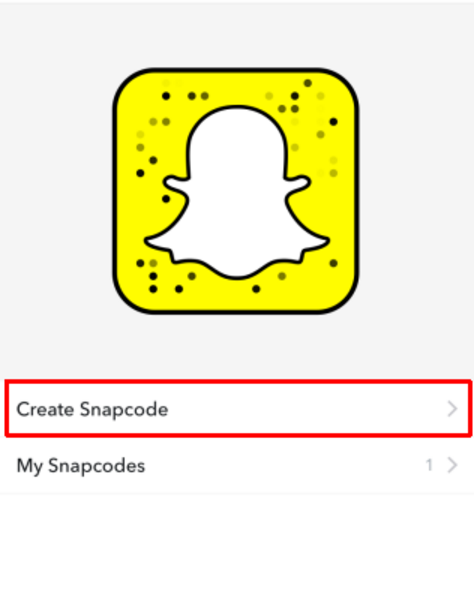

Step 3: Now tap to create a Snapcode by entering the URL. Add image if you want that may fit into the ghost icon represented.
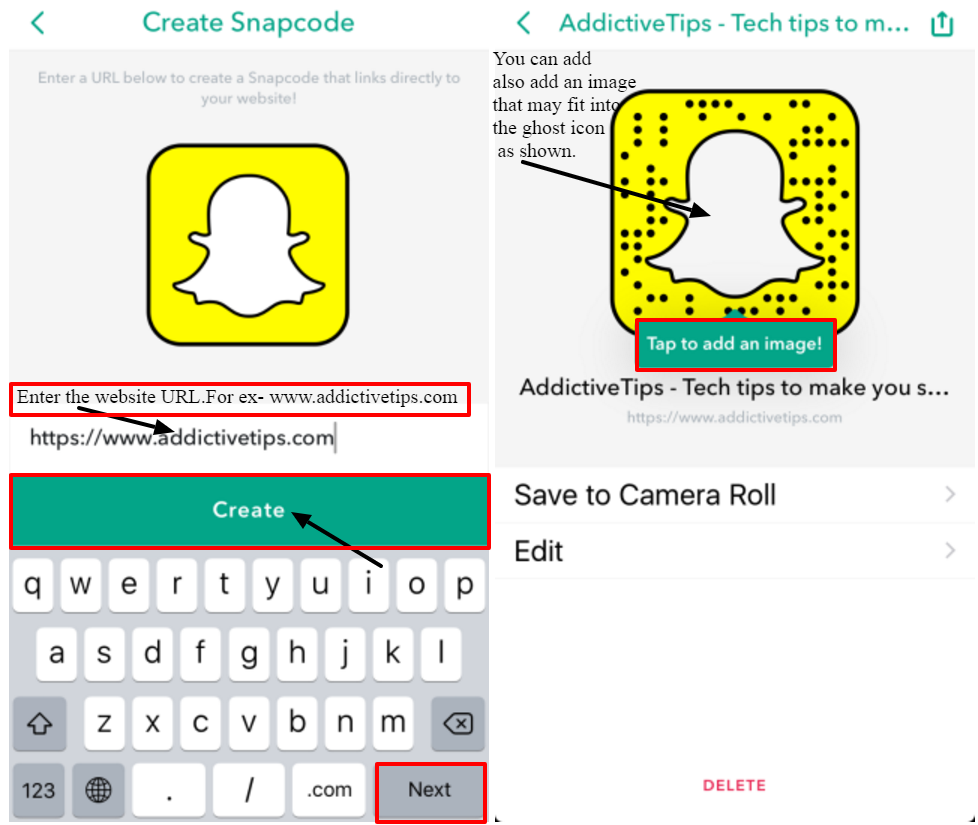

Step 4: That’s it…Click the save button and click next to create the Snapcode.
If you like to update or make changes to the link and image,simply click the edit option from the Snapcode menu from settings.
You can also save the image URL to your gallery or share it with other people via Gmail,Twitter,messaging etc.
Snapchat has developed this fast and easy way of branding technique.It can help users to get acknowledged in the vast sphere of online market in just a click away.
This unique extended feature of Snapchat has helped many advertisers and small set up bussiness companies to promote their products and services.
But the QR code can be scanned only within the Snapchat app. So,one will have to be a part of Snapchat to enjoy the free branding services of this app.
If you still have any queries in creating snapcodes or any other problems dealing with Snapchat application,feel free to conact us

