

Apple TV is one of the best internet TV that let you play games, download movies, apps as well as connects to other Apple devices like your iPhone, iPad and MacBook. But sometimes you may have to face issues with your Apple TV. Also, some of you may have encountered a blank screen after connecting your Apple TV to the TV. But, you can easily resolve the Apple TV blank screen issue just by following some easy steps.
To fix this you need to restart your TV or restore the Apple TV to factory settings.
Want to know how? Let’s proceed further.
Here’s the fix for Apple TV blank screen issue:
1. Restart your Apple TV
Restarting the device can resolve Apple TV blank screen issue. Follow the methods below to resolve blank screen issue.
Method 1:
- Navigate to Settings on your Apple TV and go to General.
- From the options, select Restart. Your Apple TV will restart in a few seconds and may fix your problem.


If not, then follow method 2 to restart.
Recommended Reading : How to Fix 5 Common Apple TV Problem
Method 2:
- Press the Menu and Down buttons simultaneously on the Apple remote for 5-6 seconds.
- Hold till the indicator light on the Apple TV starts blinking rapidly, then release the buttons.
- Now, unplug the power cord of your Apple TV, then plug it in again after at least 3-5 seconds.
2. Reset to Factory Settings
There are several methods to reset your Apple TV to factory settings. Follow the methods below to reset your Apple TV to factory settings and resolve the Apple TV blank screen issue.
Method 1:
- Navigate to Settings on your Apple TV and go to General.
- From the options, select Reset.
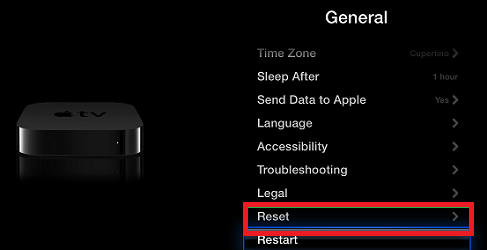
- Now, click Restore. Your Apple TV will automatically download and install the latest software.
- Do not disconnect or unplug your Apple TV during this process.

Method 2:
- First, you need a micro USB cable, computer with iTunes and Internet.
- Now, disconnect the power cord and HDMI cables from your Apple TV.
- Make sure the iTunes installed on your computer is of the latest version. If not, then download and install the latest version.
- Now, launch iTunes on your computer.
- Connect your Apple TV to your computer:
- For 2nd generation Apple TV: Connect one terminal of the micro-USB cable to the back port of your Apple TV, and the other terminal to one of the computer’s USB port.
- For 3rd generation Apple TV: Connect one terminal of the micro-USB cable to the back port of your Apple TV, and the other terminal to one of the computer’s USB port. Now, connect the power cable from your Apple TV to a power outlet.
- Within the iTunes app, choose Apple TV.

- Now, click Restore Apple TV from the summary page related to Apple TV.
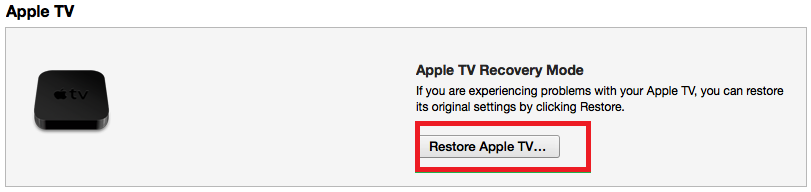
- Wait till you are notified by a confirmation popup after completion.


Hopefully the Apple TV blank screen problem has got fixed via implementing the aforementioned steps, however in a case if not then it’s time for you to know the causes liable behind the occurrence of the Apple TV blank screen issue as according to experts it is now the only way to find solution of the issue.
Reasons Behind Apple TV Blank Screen Issue
Apple TV itself actually includes no integrated control i.e., get controlled externally only either via an Apple Remote control device (together with which it is sold) utilizing it’s infrared/Bluetooth capability or via the Apple TV Remote app which can get downloaded on iOS devices such as iPad Touch, iPhone, iPad and Apple Watch utilizing it’s Wi-Fi capacity.
Now as iOS devices plays a crucial role in the proper functioning of Apple TV, so any sort of corruption or damage to them (i.e., iOS issues) leads to the generation of troubles in Apple TV which ultimately results in the occurrence of Apple TV Blank Screen issue.
Thus, regarding fixation of Apple TV Blank Screen issue, one measure can be the Stellar Phoenix Mac Data Recovery Software, which is available for free.
Potential Features of Stellar Phoenix Mac Data Recovery Software
- Equipped with efficient algorithmic skills, Stellar software easily retrieves critical files including documents, emails, photos and videos from any of the storage media based on the Mac OS (all the latest versions).
- Software supports wide of iOS devices such as iMac, iPod, iPad, MacBook Pro, MacBook Air, MacBook, Mac Pro and etc.
- Supports Mac data recovery from any of the Internal as well as external storage devices.
[one_second]

[one_second]

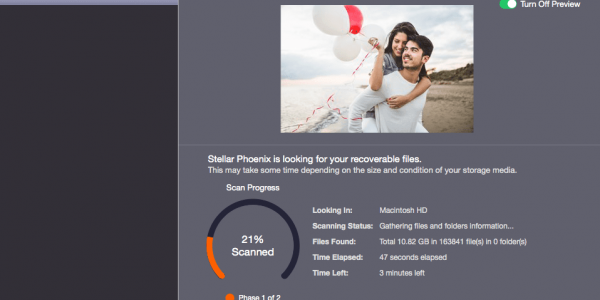
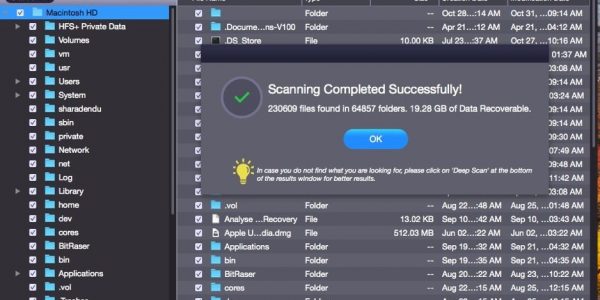
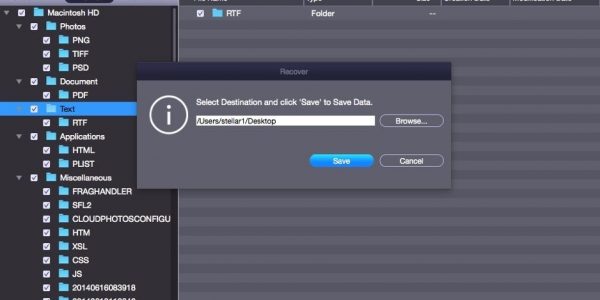
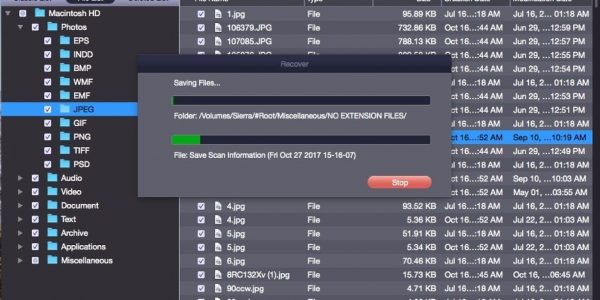
Instructions to Use Stellar Phoenix Mac Data Recovery Software


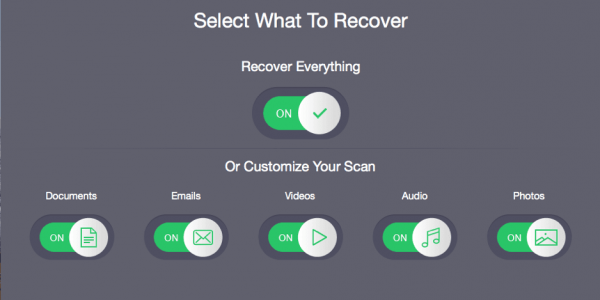
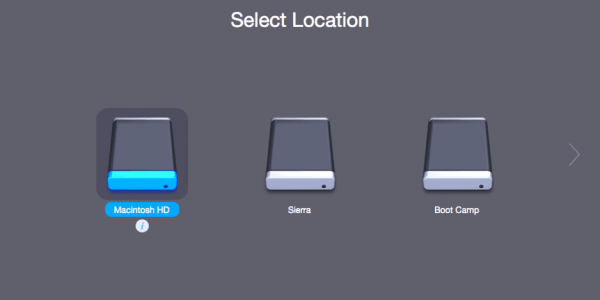

So, now what waiting for..???
Go for software’s demo version & if got satisfaction, it’s licensed version
[one_second]
[one_second]
Some More Blogs Related With iOS Issues & Their Fixing
How to Fix iTunes Error 0xe8000015? 7 Easy Fix!
Most Common iOS 11 Issues and How to Fix Them! Quick Guide!
How to Pair Apple AirPod with Apple TV
How to Add Music to iPod Without Deleting the Old one?
6 EASY Ways to Connect an iPhone, iPad Or iPod Touch To Your TV